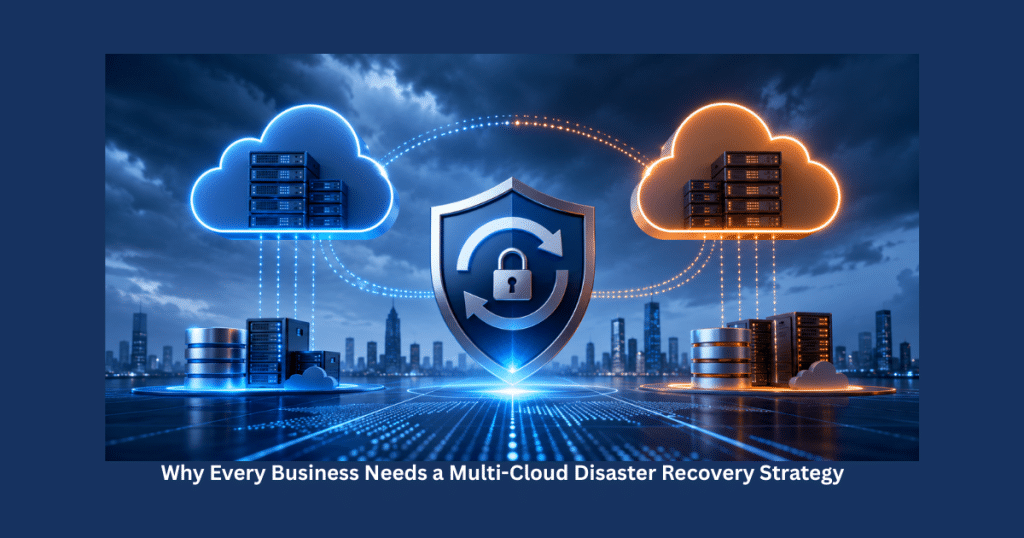
 Cloud Disaster Recovery Planning: A Complete Guide to Protect Your Business from Downtime
Orders stop coming in. Customers begin calling support. Your sales team cannot process new requests, and every passing minute means lost revenue and damaged trust.
The problem wasn't a cyberattack or faulty software. A cloud infrastructure failure combined with the absence of a proper disaster recovery strategy brought business operations to a standstill.
While situations like this may sound dramatic, they happen more often than many organizations expect. Hardware failures, accidental data deletion, ransomware attacks, cloud service outages, and natural disasters can interrupt operations without warning.
The difference between businesses that recover quickly and those that suffer long-term damage often comes down to one thing—a well-designed Cloud Disaster Recovery Plan.
Modern cloud platforms provide incredible flexibility, but technology alone isn't enough. Businesses also need a structured strategy that ensures applications, infrastructure, and data can be restored quickly when unexpected events occur.
In this guide, you'll learn what Cloud Disaster Recovery Planning is, why it matters, its business benefits, essential components, and best practices for building a resilient recovery strategy.
1. What Is Cloud Disaster Recovery Planning?
Cloud Disaster Recovery Planning (Cloud DR Planning) is the process of preparing systems, data, applications, and cloud infrastructure so they can be restored quickly after an unexpected disruption.
Instead of reacting to an emergency after it occurs, businesses create documented recovery procedures in advance.
A disaster recovery plan typically covers:
- Cloud infrastructure
- Virtual machines
- Business applications
- Databases
- Storage systems
- Network configurations
- Security controls
- Backup and recovery procedures
The primary goal is simple:
Restore normal business operations as quickly as possible while minimizing downtime and data loss.
2. Why Cloud Disaster Recovery Is More Important Than Ever
Today's businesses rely heavily on cloud-based services.
Everything from customer relationship management to e-commerce platforms, financial systems, and internal collaboration tools often runs in the cloud.
This dependency creates new risks.
Potential disruptions include:
- Cloud provider outages
- Human error
- Cybersecurity incidents
- Hardware failures
- Natural disasters
- Software bugs
- Power interruptions
Without a disaster recovery plan, even a short outage can have serious consequences.
3. Business Risks of Not Having a Disaster Recovery Plan
Many organizations underestimate how expensive downtime can become.
Some common consequences include:
Lost Revenue
If customers cannot access your products or services, sales stop immediately.
Damaged Customer Trust
Repeated service interruptions reduce customer confidence.
Customers expect reliable digital experiences.
Operational Delays
Employees may lose access to:
- Internal systems
- Customer records
- Financial data
- Collaboration tools
Business productivity decreases significantly.
Regulatory Compliance Issues
Many industries require businesses to protect customer information and maintain service availability.
Poor disaster recovery planning can lead to compliance violations.
4. Key Benefits of Cloud Disaster Recovery Planning
Organizations that invest in disaster recovery gain much more than emergency preparedness.
4.1 Faster Business Recovery
One of the biggest advantages is reduced downtime.
Instead of spending days rebuilding infrastructure, recovery procedures allow systems to be restored much faster.
This helps businesses continue serving customers with minimal interruption.
4.2 Better Data Protection
Data is one of the most valuable business assets.
Cloud disaster recovery strategies include automated backups and recovery processes that reduce the risk of permanent data loss.
4.3 Improved Business Continuity
A disaster recovery plan keeps essential business functions running even during unexpected incidents.
Teams can continue working while recovery processes are underway.
4.4 Reduced Financial Losses
Every minute of downtime can result in:
- Lost sales
- Reduced productivity
- Customer refunds
- Reputation damage
An effective disaster recovery plan minimizes these costs.
4.5 Greater Customer Confidence
Customers trust businesses that provide reliable services.
Knowing systems can recover quickly builds confidence in your brand.
5. Cloud Disaster Recovery vs Traditional Disaster Recovery
Traditional disaster recovery often depended on physical backup servers and secondary data centers.
Modern cloud recovery offers greater flexibility.
Cloud-based recovery provides:
- Faster deployment
- Lower infrastructure costs
- Automated backups
- On-demand scalability
- Geographic redundancy
Instead of maintaining expensive physical hardware, businesses can recover workloads using cloud resources.
6. Essential Components of a Cloud Disaster Recovery Plan
A successful disaster recovery strategy combines technology, documentation, and well-defined processes.
6.1 Risk Assessment
Every business faces different risks.
Identify potential threats such as:
- Hardware failures
- Cyberattacks
- Human error
- Natural disasters
- Cloud service disruptions
Understanding these risks helps prioritize recovery planning.
6.2 Business Impact Analysis
Determine which business systems are most critical.
Questions to ask include:
- Which applications generate revenue?
- Which systems employees rely on daily?
- What data cannot be lost?
Critical systems should receive the highest recovery priority.
6.3 Backup Strategy
Reliable backups form the foundation of disaster recovery.
Businesses should back up:
- Customer databases
- Application data
- Configuration files
- Virtual machines
- Documents
Backups should be automated and regularly tested.
6.4 Recovery Objectives
Every recovery plan should define:
Recovery Time Objective (RTO)
The maximum acceptable downtime before systems must be restored.
Recovery Point Objective (RPO)
The maximum acceptable amount of data loss measured in time.
For example:
If your RPO is 15 minutes, backup systems must ensure no more than 15 minutes of data is lost.
7. Real-World Example
Imagine an online retail company during its biggest annual shopping event.
Unexpectedly, a cloud region experiences a major outage.
Without disaster recovery:
- Customers cannot place orders.
- Payment systems fail.
- Customer service loses access to order information.
- Revenue declines every minute.
With a well-designed Cloud Disaster Recovery Plan:
- Traffic automatically redirects to another cloud region.
- Backup databases become active.
- Applications resume within minutes.
- Customers experience little or no disruption.
Although the incident still occurs, the business continues operating because recovery planning was completed in advance.
8. Building a Cloud Disaster Recovery Strategy
Developing an effective strategy requires careful planning rather than simply purchasing backup software.
Some important steps include:
Identify Critical Business Applications
Focus first on systems that directly support business operations.
Prioritize Recovery Order
Not every application needs immediate restoration.
Rank systems based on business importance.
Automate Recovery Processes
Automation reduces manual errors and accelerates recovery.
Organizations developing cloud-native applications often combine disaster recovery planning with professional Web Development Services: to build resilient applications that support automated failover, high availability, and scalable cloud infrastructure.
Test Recovery Procedures Regularly
A disaster recovery plan should never remain untested.
Practice recovery scenarios regularly to ensure procedures work as expected.
9. Common Cloud Disaster Recovery Models
Not every business has the same recovery requirements. The right disaster recovery model depends on your budget, business goals, acceptable downtime, and the criticality of your applications.
9.1 Backup and Restore
This is the most basic and cost-effective recovery approach.
Businesses regularly back up data and applications to cloud storage. If a disaster occurs, the backup is restored to a new environment.
Best for:
- Small businesses
- Startups
- Non-critical workloads
Advantages:
- Lower costs
- Simple implementation
- Easy maintenance
9.2 Pilot Light Strategy
With the Pilot Light approach, essential systems remain running in the cloud while less critical components stay inactive until needed.
If an outage occurs, additional infrastructure is activated quickly.
Best for:
- Medium-sized businesses
- Critical business applications
9.3 Warm Standby
A Warm Standby environment maintains a scaled-down version of production systems.
Applications continue running with limited resources and can quickly scale during a disaster.
Benefits include:
- Faster recovery
- Improved availability
- Reduced downtime
9.4 Multi-Region Disaster Recovery
Large enterprises often distribute applications across multiple cloud regions.
If one region experiences an outage, traffic automatically shifts to another location.
This approach offers the highest availability but also requires greater planning and investment.
10. Best Practices for Effective Cloud Disaster Recovery Planning
Building a recovery plan is only the beginning. Maintaining its effectiveness requires continuous improvement.
10.1 Keep Backups Current
Outdated backups reduce their usefulness during emergencies.
Automate backup schedules and verify that critical business data is always protected.
10.2 Test Recovery Regularly
Many businesses create disaster recovery plans but never test them.
Schedule routine recovery exercises to verify:
- Backup integrity
- Recovery procedures
- Team readiness
- Application functionality
Testing exposes weaknesses before real disasters occur.
10.3 Document Every Recovery Procedure
Recovery documentation should include:
- Recovery steps
- Team responsibilities
- Contact information
- Recovery priorities
- Escalation procedures
Clear documentation helps teams respond quickly under pressure.
10.4 Strengthen Security
Cybersecurity incidents are among the most common reasons organizations activate disaster recovery plans.
Improve protection through:
- Multi-factor authentication
- Encryption
- Access control
- Vulnerability management
- Continuous monitoring
A secure environment reduces the likelihood of recovery events.
10.5 Review the Plan Frequently
Business environments constantly evolve.
Whenever you introduce:
- New applications
- Additional cloud services
- New infrastructure
- Business process changes
Update the disaster recovery plan accordingly.
11. Common Mistakes Businesses Should Avoid
Even organizations that invest in disaster recovery sometimes make costly mistakes.
Assuming Cloud Providers Handle Everything
Cloud providers deliver highly reliable infrastructure, but they don't automatically recover your applications, databases, or business processes.
Your organization remains responsible for planning application-level recovery.
Ignoring Business Priorities
Trying to recover every system simultaneously creates unnecessary delays.
Instead, identify mission-critical applications and recover them first.
Failing to Test Recovery
An untested recovery plan may not work when needed.
Testing builds confidence and uncovers hidden issues before real emergencies occur.
Overlooking Employee Training
Technology alone cannot guarantee successful recovery.
Employees should understand:
- Their responsibilities
- Recovery procedures
- Communication plans
- Incident reporting processes
Prepared teams recover faster.
12. Future Trends in Cloud Disaster Recovery
Cloud Disaster Recovery continues evolving alongside modern cloud technologies.
AI-Driven Recovery
Artificial Intelligence is beginning to assist organizations by:
- Predicting infrastructure failures
- Detecting unusual system behavior
- Automating recovery decisions
- Optimizing backup schedules
AI-powered monitoring will reduce recovery times even further.
Greater Automation
Future recovery systems will automatically:
- Launch replacement infrastructure
- Redirect application traffic
- Restore databases
- Validate application health
Automation minimizes manual intervention during critical incidents.
Zero-Trust Security Integration
Modern disaster recovery strategies increasingly integrate Zero Trust security principles to protect recovery environments from unauthorized access.
Security and recovery planning are becoming closely connected.
13. Key Takeaways
If you're planning your organization's disaster recovery strategy, remember these essential points:
- Cloud Disaster Recovery protects business continuity during unexpected disruptions.
- Automated backups and recovery procedures reduce downtime.
- Recovery Time Objective (RTO) and Recovery Point Objective (RPO) should be clearly defined.
- Regular testing is just as important as creating the recovery plan.
- Security should be integrated into every disaster recovery strategy.
- Cloud-native recovery approaches provide greater flexibility and scalability than traditional methods.
- Disaster recovery planning should evolve alongside your business and cloud infrastructure.
Conclusion
Unexpected disruptions are no longer a matter of if—they are a matter of when. Whether the cause is a cyberattack, hardware failure, human error, or cloud service outage, every business needs a plan to recover quickly and continue serving customers.
A well-designed Cloud Disaster Recovery Plan does far more than restore systems after an incident. It protects customer trust, reduces financial losses, supports regulatory compliance, and ensures your business remains resilient in an increasingly digital world.
The most successful organizations don't treat disaster recovery as a one-time project. They continuously review, test, and improve their recovery strategies as their applications and infrastructure evolve.
If your business is developing modern cloud-based applications, combining disaster recovery planning with scalable architecture is essential. Explore Mobile App Development Services: to build secure, resilient, and high-performance applications designed for reliability, scalability, and long-term business success.
Investing in Cloud Disaster Recovery today means preparing your business to respond confidently to tomorrow's unexpected challenges.
Frequently Asked Questions (FAQs)
1. What is Cloud Disaster Recovery Planning?
Cloud Disaster Recovery Planning is the process of preparing cloud infrastructure, applications, and data so they can be restored quickly after unexpected disruptions such as outages, cyberattacks, or hardware failures.
2. Why is Cloud Disaster Recovery important?
It minimizes downtime, protects critical business data, supports business continuity, and helps organizations recover quickly from unexpected incidents.
3. What is the difference between backup and disaster recovery?
Backups focus on storing copies of data, while disaster recovery includes the complete strategy for restoring applications, infrastructure, systems, and business operations.
4. What are RTO and RPO?
Recovery Time Objective (RTO) defines how quickly systems must be restored, while Recovery Point Objective (RPO) specifies the maximum acceptable amount of data loss.
5. How often should disaster recovery plans be tested?
Businesses should test their disaster recovery plans regularly—at least once or twice a year—and whenever significant infrastructure or application changes are made.
6. Can small businesses benefit from Cloud Disaster Recovery?
Yes. Small businesses are often more vulnerable to downtime because they have fewer resources. A cloud-based recovery plan helps minimize operational and financial risks.
7. Does using a cloud provider eliminate the need for disaster recovery planning?
No. Cloud providers maintain their infrastructure, but businesses remain responsible for protecting their applications, configurations, and data through a comprehensive disaster recovery strategy.
8. What is the biggest benefit of Cloud Disaster Recovery?
The greatest benefit is business continuity. A strong recovery plan enables organizations to restore critical systems quickly, reduce downtime, and maintain customer trust during unexpected disruptions.